BUSY BUREAU
Websites, Apps & Marketing
Philippines — working with the UK, Europe, US & AU

Education · Negros Oriental, Philippines

From a grade entered to a certificate printed — with every approval in between.

Academic management for a school that runs from Grade 1 to college: enrolment, multi-stage grade approval, four honours algorithms and certificate generation, across nine roles.

Open the live site ↗(opens in a new tab)Overview

Client
Saint Francis College Guihulngan
Sector
Education
Where
Negros Oriental, Philippines
What it is
Academic management system
What we did
Next.js rebuild · Data model · Access control · Grading and honours logic
Built with
Next.js 16 · Prisma · TypeScript · shadcn/ui and Tailwind CSS · Zod · Vitest · ExcelJS · Vercel
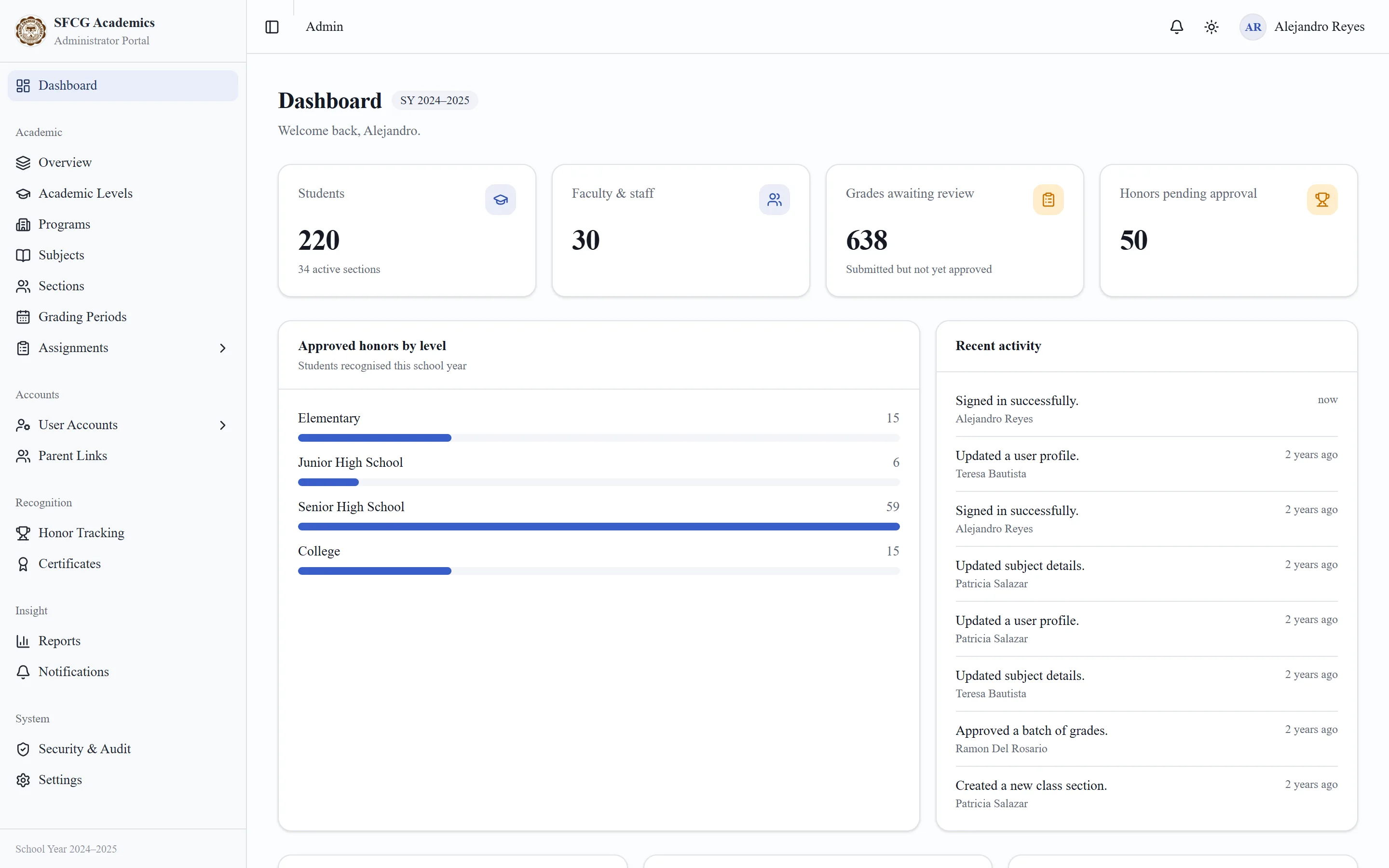
The administrator dashboard in the SFCG system
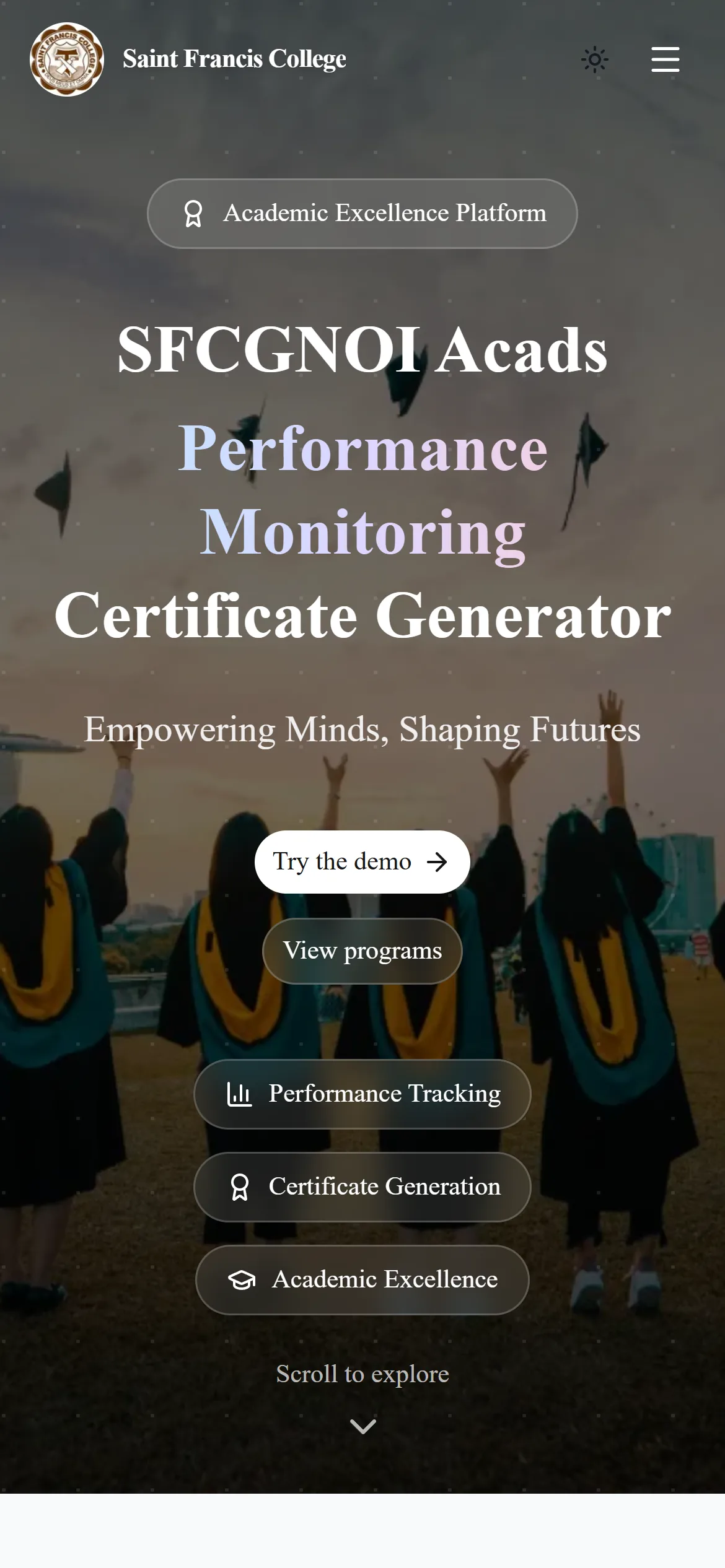
The Saint Francis College homepage on a phone
Roles, from registrar to parent
9
Academic levels, each with its own rules
4
Screens across the role portals
142
Unit tests on the grading and honours maths
50
01 — Overview
The problem

A school that teaches from Grade 1 to college runs four grading systems at once. Elementary and Junior High average their quarters; Senior High awards honours per grading period; College works on an inverted 1.0–5.0 scale with weighted GPAs. Every grade passes through several hands before it is final — and an honours certificate printed from a grade nobody approved is the kind of mistake a school cannot take back.

What we built

One system, nine roles: administrator, registrar, principal, chairperson, instructor, teacher, adviser, student and parent. A grade moves from entry to submission, validation and approval, with time-limited edit windows and return-for-revision at every step. Honours are computed by four level-specific algorithms, and a certificate can only be issued against an approved honour — serial-numbered and printed from editable templates. Every page and every action declares the permission it needs from one table, so what a person can see and what they can change never drift apart. It began as a Laravel capstone for the college, and was rebuilt from the ground up in Next.js, Prisma and SQLite.

02 — The journey

From grade to certificate

The path a College grade takes. Nothing skips a step, and nothing is printed until the last one is done.

  1. 01

    Enter

    The instructor enters the grade inside a five-day edit window.

  2. 02

    Submit

    Submitting locks it. Changing a midterm recomputes the semester average.

  3. 03

    Validate

    The chairperson validates it — or returns it, with a reason, for revision.

  4. 04

    Honours

    The level's algorithm qualifies honours: weighted GPA on the inverted 1.0–5.0 scale.

  5. 05

    Certificate

    Approving an honour issues a serial-numbered certificate, ready to print.

03 — Features

What it does

01

Four academic levels

Elementary, Junior High, Senior High and College — each with its own grading periods, scales and honour rules, not one model bent to fit all four.

02

Multi-stage grade approval

Entry, submission, validation and approval, with five-day edit windows (three for advisers) and return-for-revision with a stated reason.

03

Automated honours

Four level-specific algorithms, written as pure functions and covered by unit tests. Re-running them never overturns a decision already made.

04

Certificate generation

Editable HTML templates with placeholder tokens, sequential serials and print-ready output. A certificate cannot exist without an approved honour behind it.

05

Nine roles, one ability table

Page guards, action guards and the sidebar all read the same permission table — and an automated check fails if any portal page skips its guard.

06

Reports, exports and imports

Five reports with charts; CSV and Excel exports scoped by role and level; CSV imports previewed before anything is written.

04 — Up close

One system, a different job for every role

The same school, seen from four of its nine portals. Pick a role to see what it works on — every name here is generated demo data.

The administrator dashboard in the SFCG system

The whole school at a glance

Students, staff, grades awaiting review and honours pending approval — with approved honours by level and the activity log beside them.

05 — Under the hood

The hard parts, and how we solved them

01

Four schools' worth of grading rules in one system

What made it hard

Each level grades differently: quarter averages, Senior High honours per grading period with a cumulative floor, and College's inverted scale with weighted GPAs. One shared formula would be wrong for three of them.

How we solved it

Four separate honours algorithms, each a pure function with its own unit tests, run by one service. Re-running them is idempotent and never overturns an approval or rejection already recorded.
02

Permissions that cannot drift

What made it hard

With nine roles, the classic failure is a sidebar that hides a page the URL still serves, or a button that calls an action the role should not reach.

How we solved it

Every page and every action goes through one of two wrappers that demand an ability from a single table and check it on the server. A build check fails if any portal page skips the wrapper.

03

Sessions you can actually end

What made it hard

Signed cookies are fast and stateless — which usually means an administrator cannot revoke one before it expires.

How we solved it

Each account carries a sessions-valid-from timestamp, read on every request. Ending someone's sessions takes effect immediately, and an automated check proves an already-issued cookie stops working.

04

A writable demo on serverless hosting

What made it hard

A public demo needs a database people can change, on a host whose filesystem is read-only.

How we solved it

A seeded SQLite file ships with the build and is copied to temporary storage at start-up, so every instance is writable and resets itself — with Turso available when it needs to persist.

06 — Screens

The real thing

Captured from the live product — the site, and the app where there is one. Select any screen to enlarge it.

Administrator: students, staff, grades awaiting review and honours pending approval. All names are generated demo data.
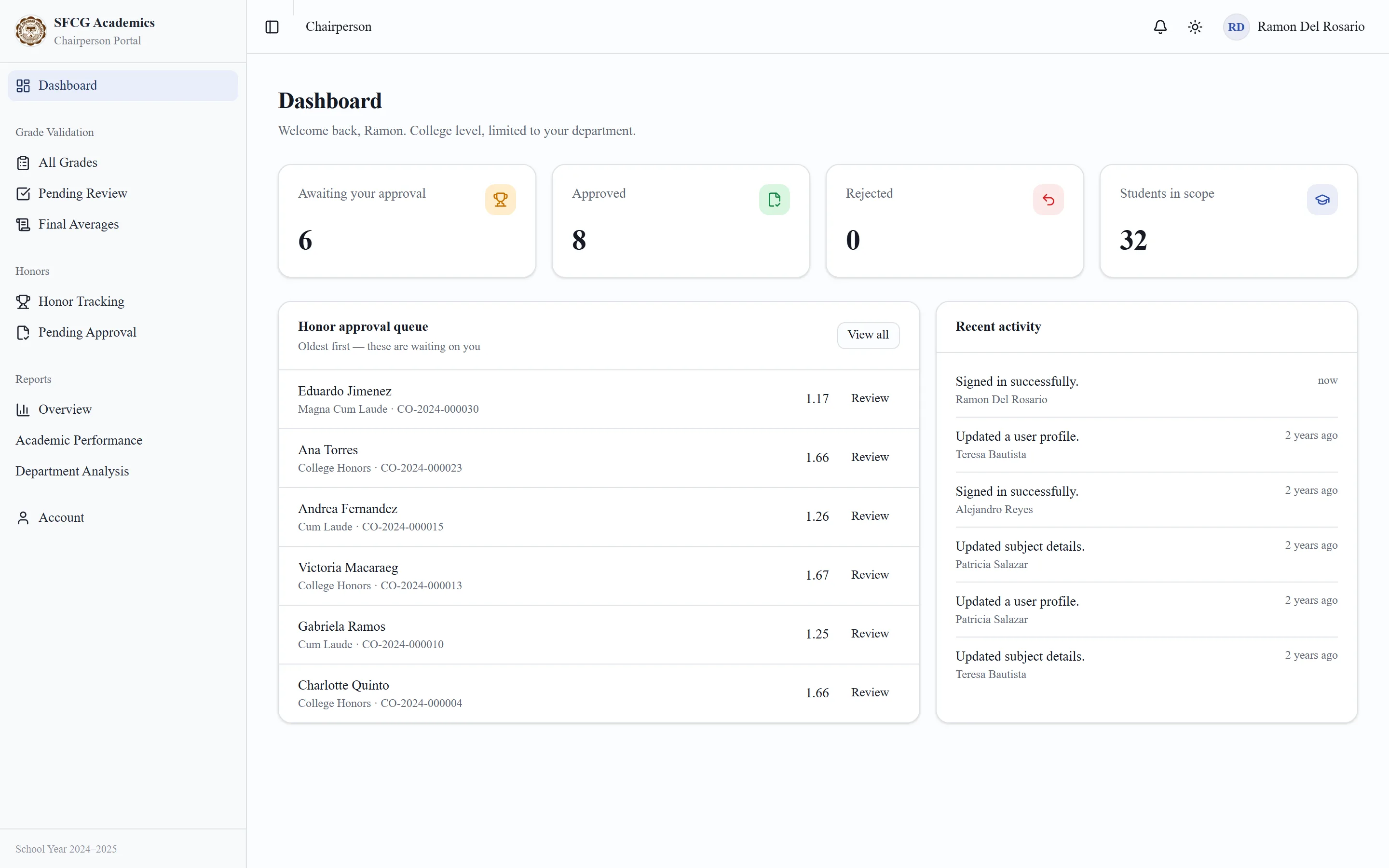
Chairperson: the College honours queue for their own department, oldest first.
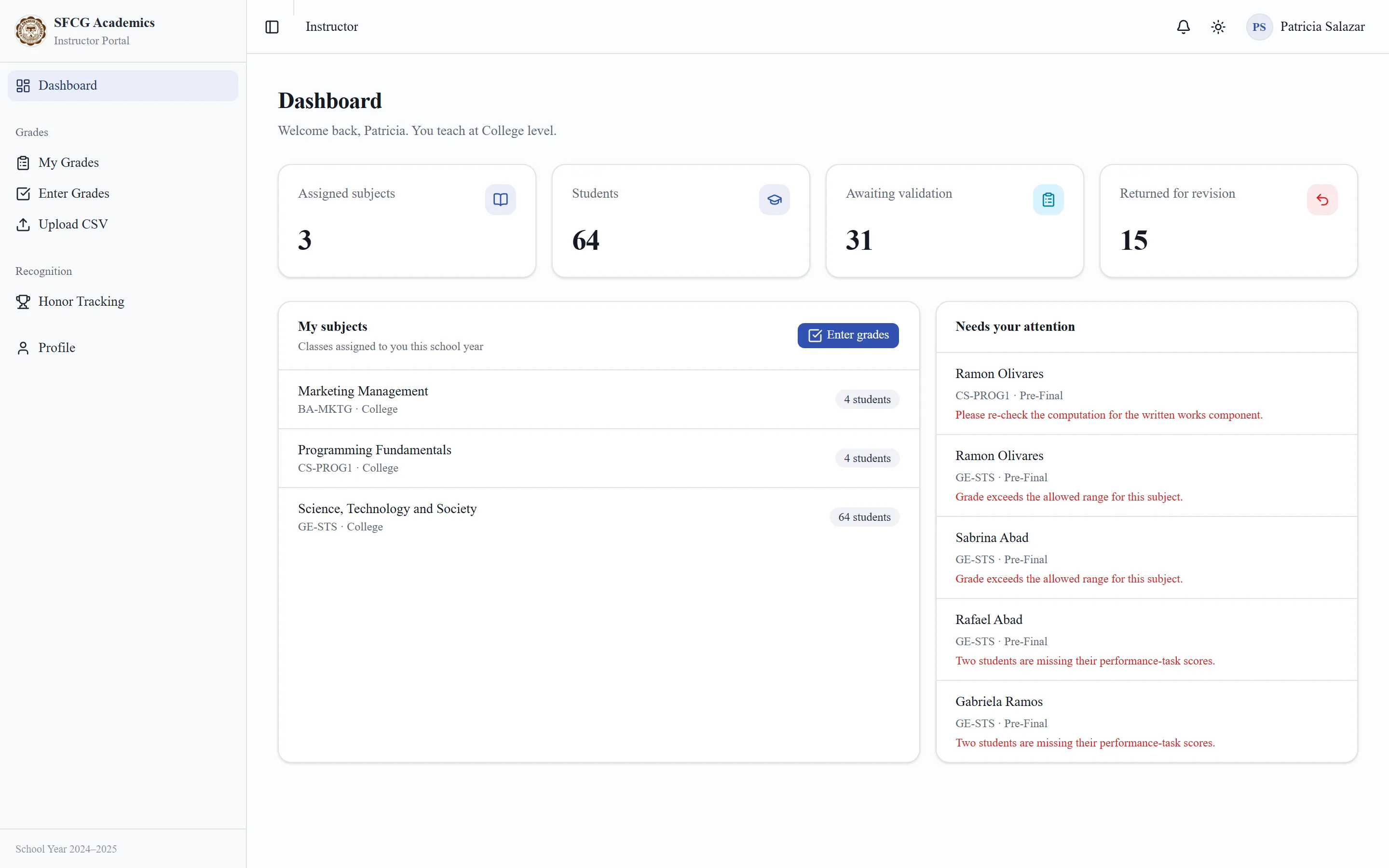
Instructor: assigned subjects, grades awaiting validation, and returned grades with the reason attached.
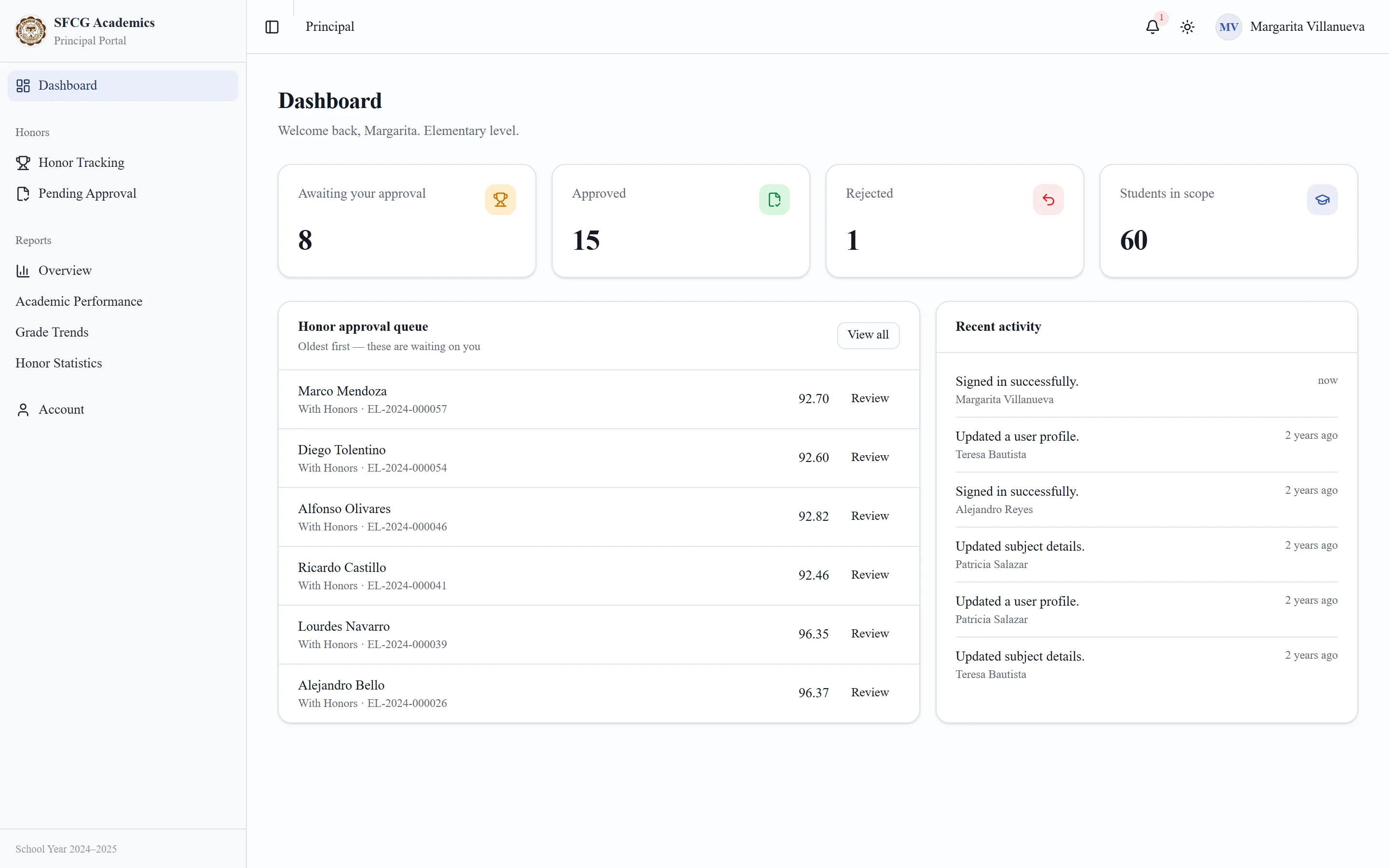
Principal: the honours queue for their level, with averages beside each student.
What the system does, as the school's own site puts it.
Sign-in, with a one-click switcher for all nine demo roles.
The college's public site, in front of the system.
Four academic levels — the reason the system needs four sets of rules.
The public site on a phone.
07 — Stack

Built with

Next.js 16
App Router, nine role portals
Prisma
31-model schema, SQLite via libSQL
TypeScript
Strict, with typed routes
shadcn/ui and Tailwind CSS
Interface and theming
Zod
Validation on every action
Vitest
Grading and honours maths
ExcelJS
Excel exports
Vercel
Hosting, Singapore region

Services used

Where it is now

Live as a public demo

The sign-in page has a one-click switcher for all nine roles, with a fully generated school behind it — so anyone evaluating the system can try it as a registrar, a chairperson or a parent.

Open the live site ↗(opens in a new tab)

Next case — 07AcademiaA whole campus system that runs in the visitor's browser.Read the case study →
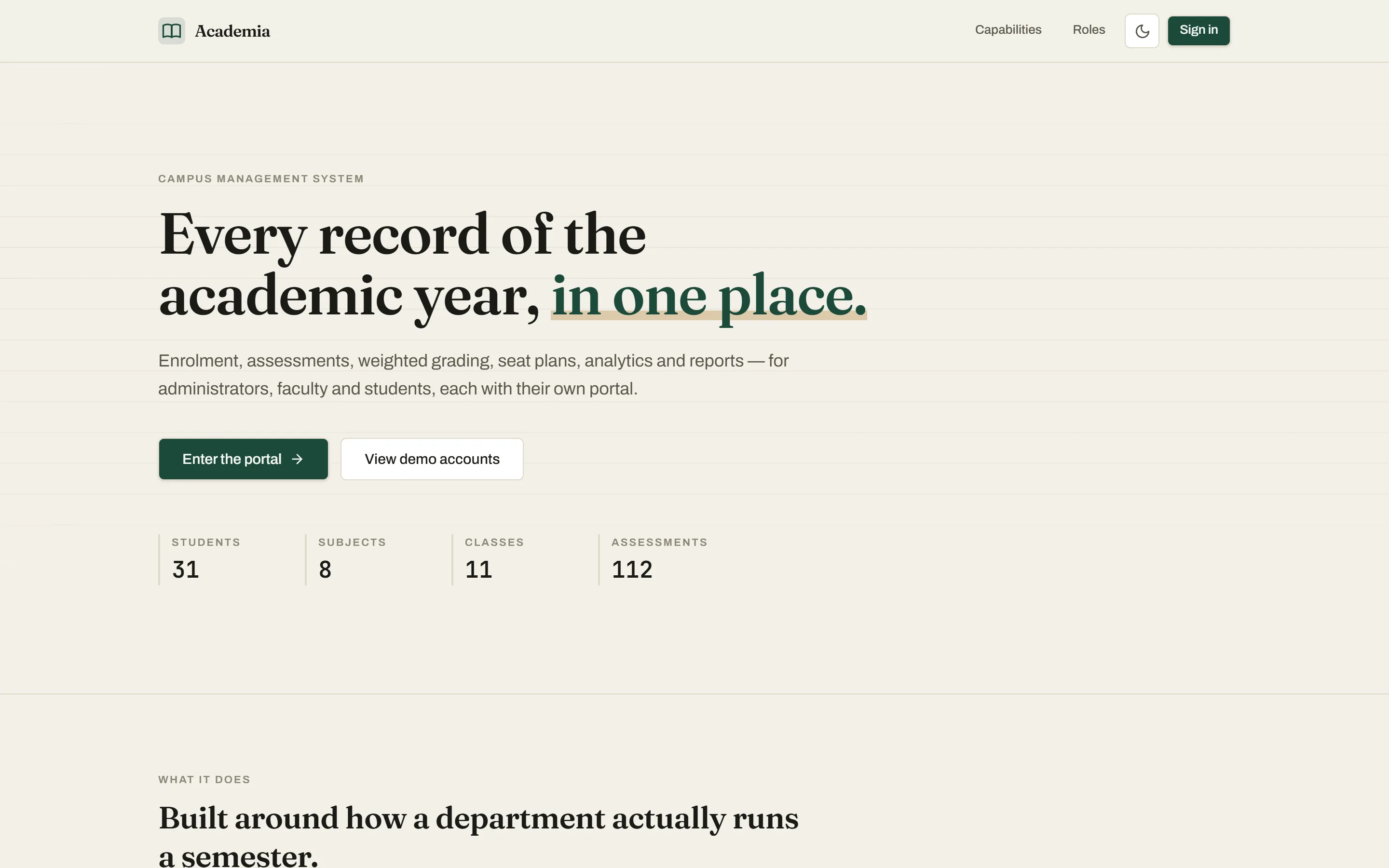
The Academia campus management homepage

Your project, on this page next year

Tell us what is not working. We'll tell you what it would take.

Start a project